
Polarity Browser-Fast/No Ads5.1.7 - Google Play
You'll be able to see results in few seconds.
Publisher Description


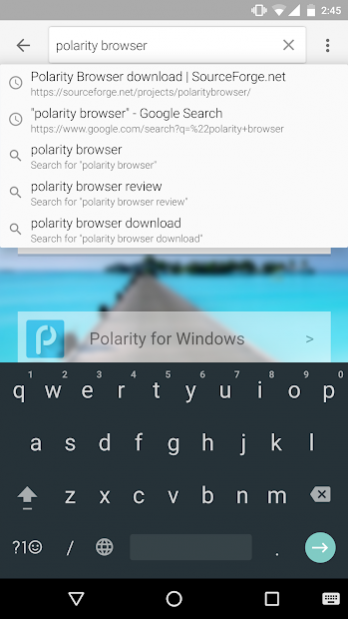

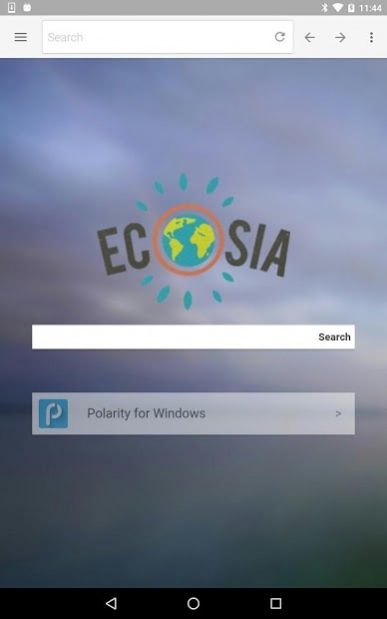

Polarity is a fast, secure, and stable web browser for Android to bring the same experience as Polarity on the desktop. Instantly share websites, browse the web by voice, import bookmarks from Chrome, as well as filter advetisement with one of the strongest ad blockers built into a browser.
★ Speed: Both the application and the engine itself are hardware accelerated which helps to deliver amazing speeds in rendering both mobile and full desktop websites, video streaming, and interactive content in a tiny package. Many browsers today tend to bundle themselves with many different forms of bloatware and ads which greatly reduces the overall performance of the application. We believe that the web should be readily accessible without any interference right in your hand.
★ AdBlocking: Just like Polarity for Windows, Polarity for Android has a built in adblocker that filters out most ads without being detected by websites. The database is now filled with 45,524 known adhosts, a +160% increase from version 4.
★ Privacy: Browse with ease without any trace of history, bookmarks, or cookies being left behind. Have peace of mind when browsing sites that are known to extract user data for malicious purposes.
★ DoNotTrack: Enable DoNotTrack to tell stop websites from collecting data.
★ Header Masking: Restrict the amount or alter the header information that is forwarded to websites you visit with a simple tap.
★ Reader Mode: Polarity's reader mode enables users to read webpages with the clarity and convenience of having it on paper. It's flexibility allows the user to adjust the brightness and text size of the article.
★ Customization: Polarity comes with a whole host of different customization options. Easily change the theme and render mode of the browser. Enable color mode to bring a more immersive UI which matches the website's color scheme. And even enable random backgrounds to add beautiful images right on the start page.
More Features:
- NO ADS!
- Fast Tabbed Browsing
- Powered by Ecosia, a search engine that plants trees.
- Adobe Flash Support for Android 4.2 or below.
- Fast boot up time.
- Random new tab page backgrounds.
- Custom home page.
- Bookmarks
- History
- Low RAM usage.
- Full-screen mode
- Choose from 11 search engines as well add a custom one.
- User Agent masking.
- Basic Gestures for accessing tabs and bookmarks.
- Instantly share websites right from the browser.
- Customize almost of the browser via the settings menu.
- Native Javascript and Webkit engines without the bloat.
- Voice Search
- DoNotTrack
- Tor/I2P support along with other proxies and VPNs.
- Multi-Language support
- Pocket integration.
Navigation Tips:
- Long-press the back button to close a tab or all tabs
- Long-press a link to open in a new tab
- Long-press a tab to close it.
- Long-press a bookmark to edit.
Disclaimer:
This app is based on Lightning Browser, and licensed under the Apache License.
Apache License, Version 2.0: http://www.apache.org/licenses/LICENSE-2.0.html
Like us on Facebook:
https://www.facebook.com/polarityweb
Follow us on Twitter:
https://twitter.com/polaritybrowser
About Polarity Browser-Fast/No Ads
The company that develops Polarity Browser-Fast/No Ads is Stanley Lim. The latest version released by its developer is 5.1.7.
To install Polarity Browser-Fast/No Ads on your Android device, just click the green Continue To App button above to start the installation process. The app is listed on our website since 2018-05-27 and was downloaded 0 times. We have already checked if the download link is safe, however for your own protection we recommend that you scan the downloaded app with your antivirus. Your antivirus may detect the Polarity Browser-Fast/No Ads as malware as malware if the download link to pcr.browser.polarity is broken.
How to install Polarity Browser-Fast/No Ads on your Android device:
- Click on the Continue To App button on our website. This will redirect you to Google Play.
- Once the Polarity Browser-Fast/No Ads is shown in the Google Play listing of your Android device, you can start its download and installation. Tap on the Install button located below the search bar and to the right of the app icon.
- A pop-up window with the permissions required by Polarity Browser-Fast/No Ads will be shown. Click on Accept to continue the process.
- Polarity Browser-Fast/No Ads will be downloaded onto your device, displaying a progress. Once the download completes, the installation will start and you'll get a notification after the installation is finished.
Program Details
System requirements
Download information
Pricing
Version History
version 5.1.7
posted on 2018-05-27
Minor updates to the browser for bug fixes and fixed searching.
version 5.1.6
posted on 2016-09-02
Fixed bugs and some updates that didn't get pushed down, fixed issue with text being deleted when tapping on the url bar multiple times.
Disclaimer
Official Google Play Link
We do not host Polarity Browser-Fast/No Ads on our servers. We did not scan it for viruses, adware, spyware or other type of malware. This app is hosted by Google and passed their terms and conditions to be listed there. We recommend caution when installing it.
The Google Play link for Polarity Browser-Fast/No Ads is provided to you by apps112.com without any warranties, representations or guarantees of any kind, so access it at your own risk.
If you have questions regarding this particular app contact the publisher directly. For questions about the functionalities of apps112.com contact us.
